Tip
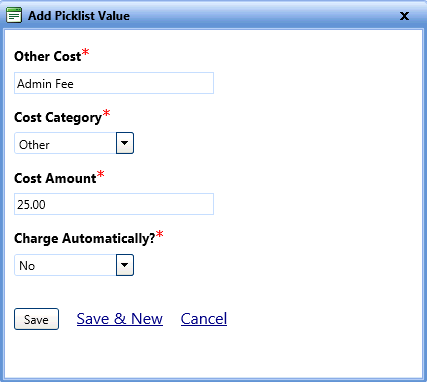
TipThe Add Picklist Value lets you add more options to the picklist.
Tip
To view the Add Picklist Value dialog box, click the Add Picklist Value link.
1. In the Maintenance Fields page, click the View link next to the Cost Type field.
The Cost Type picklist page opens. You can view the values of the Cost Type picklist field.
2. To add a new value, click Add New Item.
The Add Picklist Value dialog box opens.
3. In the Other Cost box, type a cost that you want to add.
4. In the Cost Category list, select a cost category.
5. In the Cost Amount box, type a cost amount.
6. In the Charge Automatically? list, select Yes or No.
7. When finished, click one of the following:
o Save to save the information and close the dialog box.
o Save & New to save the information and add another record.
o Cancel to disregard any changes and close the dialog box.