Tip
TipTip
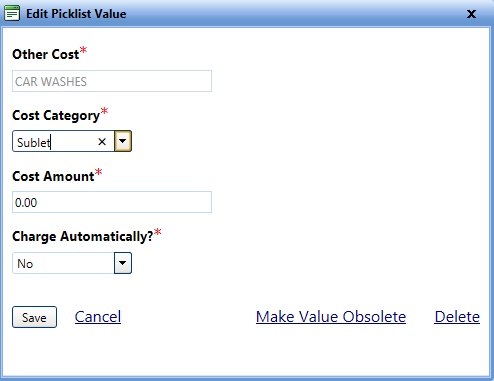
To view the Edit Picklist Value image, click the Edit Picklist Value link.
1. In the Maintenance Fields page, click the View link next to the Cost Type field.
The Cost Type picklist page opens. You can view the values of the Cost Type picklist field.
2. Click the Edit link next to a value that you want to edit.
The Edit Picklist Value dialog box opens.
3. Make changes as required.
Note: Name of the Other Cost, for example: CAR WASHES cannot be edited.
4. When finished, click one of the following:
o Save to save the information and close the dialog box.
o Cancel to disregard any changes and close the dialog box.
o Male Value Obsolete to hide the value in the picklist. For more information,refer to Make Value Obsolete.
o Delete to permanently remove the value from the picklist. For more information,refer to Delete Picklist Value.